Full Casino in Your Browser
All 7,000+ pokies, live dealer tables, crash games and the sportsbook are accessible through your mobile browser or the installed PWA. No features are restricted to desktop.
App at Luckyhills in Australia: PWA Installation
Install the Luckyhills Progressive Web App to your home screen. Full pokies, live casino, sports betting and AUD banking - no app store needed.
Install the Luckyhills PWA to your home screen. Full pokies, live casino, sports betting and AUD banking - no app store needed.
Install the Luckyhills Progressive Web App to your home screen. Full pokies, live casino, sports betting and AUD banking - no app store needed.
Open on Mobile Play responsibly. Registration is restricted to those 18 and older. Bonus offers are subject to terms.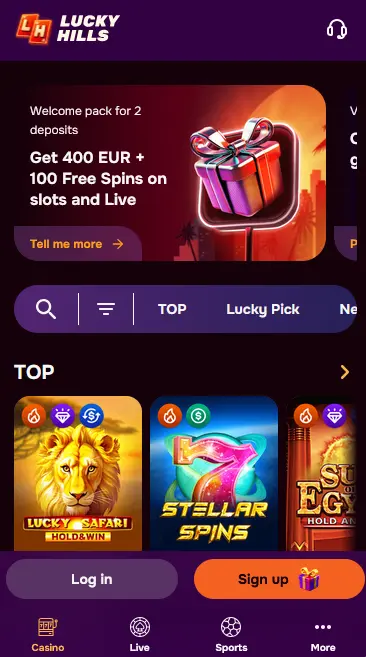
How to Install Luckyhills on Your Device
Luckyhills Mobile App - Pros and Cons
Pros
Cons
What the Luckyhills Mobile App Offers
Full Casino in Your Browser
All 7,000+ pokies, live dealer tables, crash games and the sportsbook are accessible through your mobile browser or the installed PWA. No features are restricted to desktop.
One-Tap Access
Install the Luckyhills PWA to your iPhone or Android home screen for instant one-tap return access without navigating through a browser address bar each time.
Biometric Login Support
Supported mobile devices can use fingerprint or face recognition through the browser saved-credentials system to sign in securely without typing your password each session.
Mobile Account Security
What You Should Do
What You Should Avoid
Device Compatibility
Android
iOS
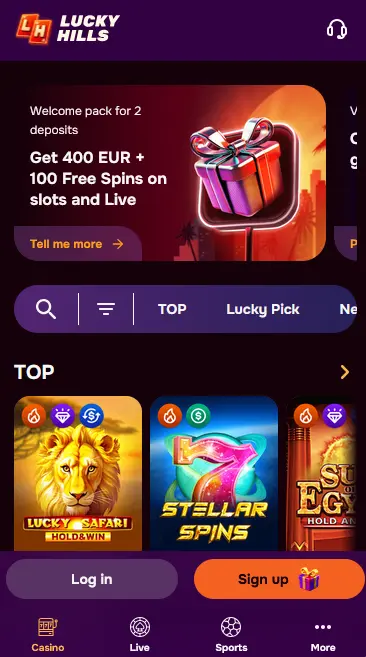
The full Luckyhills game catalogue is available through the mobile browser and PWA without any restrictions compared to the desktop version. Loading times are determined by your device hardware and internet connection rather than by any artificial mobile limitation.
All 7,000+ pokies from 84 providers are accessible on mobile, including high-volatility titles such as Wild Cash x9990 from BGaming, Lady Wolf Moon from Amusnet Interactive, Elvis Frog in Vegas from BGaming and Diamonds Power from Platipus. Megaways titles from providers including Nolimit City and ELK Studios, Hold and Win formats from Amusnet Interactive, and bonus-buy pokies from Pragmatic Play all render correctly in a modern mobile browser. The touchscreen interface supports swipe navigation, tap-to-spin and adjustable bet size controls.
Live dealer tables from Evolution Gaming, Ezugi, Imagine Live, SA Gaming and LuckyStreak stream in HD to mobile. The live casino section on mobile displays all active tables, stake ranges and available seats on a single scrollable screen. You can open a table, place bets and interact with the dealer through the chat function without leaving the PWA. Game shows from Imagine Live and interactive bingo formats are also available on mobile.
RNG blackjack, roulette, baccarat and poker variants load quickly on mobile due to their lower graphical overhead compared to high-animation pokies. Blackjack Multihand Pro, Mini Roulette, Oasis Poker and Classic Baccarat are all playable on any mid-range smartphone. The interface scales automatically to portrait and landscape orientation.
Progressive jackpot pokies including Lucky Bro Hold And Win from Amusnet Interactive are available in the mobile app. The jackpot counter updates in real time and is displayed on the game tile within the lobby. Jackpot wins are processed to the same AUD account balance as all other game wins.
Luckyhills is delivered as a Progressive Web App, meaning the platform runs in your browser rather than as a store-installed application. This approach removes the dependency on App Store and Google Play approval cycles and ensures the platform is accessible across iOS, Android, Windows and macOS without separate downloads.
Chrome 90 or later is the recommended browser for Android. The PWA install option appears in the Chrome three-dot menu as “Install App” or “Add to Home Screen.” Android 8.0 Oreo or later provides the smoothest performance, particularly for live dealer streaming from providers such as Evolution Gaming and Imagine Live.
Safari is required to install a PWA on iPhone and iPad. The install option is reached via the Share button at the bottom of the Safari browser interface. iOS 14 or later is recommended. Once installed, the Luckyhills icon appears on your home screen and the PWA launches in full-screen mode with no browser navigation bars visible.
The following table summarises the minimum recommended configuration for each platform:
| Platform | Browser | OS Version | Notes |
|---|---|---|---|
| Android | Chrome 90+ | Android 8.0+ | Firefox 90+ also compatible |
| iOS | Safari (required) | iOS 14+ | PWA install via Share button only |
| Windows / macOS | Chrome, Firefox, Edge | Current versions | Full desktop experience |
Open Chrome on your Android device and navigate to luckyhillsonline.com. After the page loads, tap the three-dot menu icon in the top-right corner of Chrome. Select “Install App” or “Add to Home Screen” from the menu. Confirm the installation in the prompt that appears. The Luckyhills icon is added to your home screen. Tap the icon to launch the PWA in full-screen mode. Log in with your credentials, or complete registration if you are a new user.
Open Safari on your iPhone or iPad and go to luckyhillsonline.com. Once the page loads fully, tap the Share button (the box with an arrow pointing upward) at the bottom of the Safari toolbar. Scroll down in the share sheet and tap “Add to Home Screen.” Give the shortcut a name if prompted, then tap “Add” in the top-right corner. The Luckyhills icon appears on your home screen. Tap it to open the full-screen PWA and sign in to your account.
If you prefer not to install the PWA, you can access Luckyhills at any time by navigating directly to luckyhillsonline.com in your mobile browser. All features, including the cashier, bonuses, games and support chat, are available through the browser without installation. Bookmarking the page in your browser provides a quick shortcut without using home screen space.
All data transmitted between your device and Luckyhills is protected by SSL encryption, including login credentials, game data and payment information. The connection is encrypted regardless of whether you access the platform through the PWA or the browser directly.
SSL certificates are applied to all luckyhillsonline.com pages. Financial transactions are routed through BOVIVE Ltd and SpotExe Ltd, which operate their own encrypted payment infrastructure. Your card details and banking information are not stored on the Luckyhills platform.
Two-factor authentication can be activated from the security section of your account profile. When enabled, each login requires a second verification code after you enter your password. This protects your account even if your password is compromised.
On compatible iPhones and Android devices, the mobile browser’s saved credentials feature supports biometric authentication. When you save your Luckyhills login to your browser, subsequent sign-ins can be confirmed with Face ID, Touch ID or your device fingerprint sensor, removing the need to type your password each session.
The full Luckyhills cashier is accessible through the mobile app. Deposits and withdrawals are processed using the same methods available on desktop.
| Method | Direction | Currency |
|---|---|---|
| Visa | Deposit and withdrawal | AUD |
| Mastercard | Deposit and withdrawal | AUD |
| MiFinity | Deposit and withdrawal | AUD |
| CashtoCode | Deposit | AUD |
| Bitcoin / Ethereum | Deposit and withdrawal | AUD equivalent |
| Bank Transfer | Deposit and withdrawal | AUD |
E-wallet and cryptocurrency withdrawals are processed within 24 hours of approval for verified accounts. Card and bank transfer withdrawals take two to five business days once the casino releases the funds. VIP members benefit from priority withdrawal processing at Silver tier and above.
All mobile cashier transactions use the same SSL encryption layer as desktop. You must use payment methods registered in your own name. Payment method verification may be required before the first withdrawal, alongside your standard KYC identity documents.
You can register a new Luckyhills account directly through the PWA. Tap the sign-up button on the homepage, enter your email address, create a password, then provide your full name, date of birth, contact number and residential address. Confirm the verification link sent to your email inbox to activate your account. Once confirmed, your account is ready and the welcome bonus offer is accessible from the cashier.
Log in with your registered email and password from the login screen. On the PWA, if you accepted the credentials prompt on a previous visit, your details may be pre-filled or available via biometric authentication. If you are logging in for the first time on a new device, you will need to enter your credentials manually.
The full welcome package of up to $2,000 in bonus funds plus 100 free spins is available to claim through the mobile app cashier. Select the welcome bonus option before confirming your first qualifying deposit of at least $30 AUD. The 100 free spins on featured pokies including Wild Cash x9990 and Lady Wolf Moon are issued in batches of 20 per day over five days following the deposit. 40x wagering applies to the bonus portion. 18+ only.
Live chat is accessible from within the PWA via the support icon or help menu. The automated assistant handles routine queries on mobile as on desktop; type “Agent” to reach a human representative at any hour. Email support is available at [email protected] for cases requiring document review. The written FAQ in the help section covers account, payment and bonus questions without needing to open a chat.
Responsible gambling tools including deposit limits, cooling-off periods and self-exclusion are accessible through the account settings on mobile. If you need to set a limit or take a break, navigate to the responsible gaming section of your account profile. For self-exclusion, contact the live chat team directly, as the tool requires agent activation. All players must be 18 or older to hold a Luckyhills account.
Mobile App Questions
No. Luckyhills does not have a native app on either store. The platform uses a Progressive Web App that you install directly from luckyhillsonline.com through your mobile browser, which requires no store approval or download.
The Luckyhills PWA performs best on Android 8.0 Oreo or later with Chrome 90 or above. Older devices may experience slower load times on graphics-intensive pokies from providers like BGaming and Pragmatic Play, though basic gameplay should still function.
Yes. Because the PWA loads from luckyhillsonline.com each time it is launched, it always runs the latest version without requiring manual updates through a store. Any new features or game additions are immediately available.
Yes. The cashier and promotions section are fully accessible through the PWA. You can activate the welcome bonus of up to $2,000 plus 100 free spins and claim the 20 free spins reward for installing the app, all from your mobile device.
Install Luckyhills on Your Phone
Grab 200% up to $2,000 and 100 free spins.
Enter Casino Play responsibly. Registration is restricted to those 18 and older. Bonus offers are subject to terms.